
Step 1: set the ip address through keypad HIM
IP settings are configured in parameter numbers between C128 to C136.
Press scape till you see number 6001 on the display
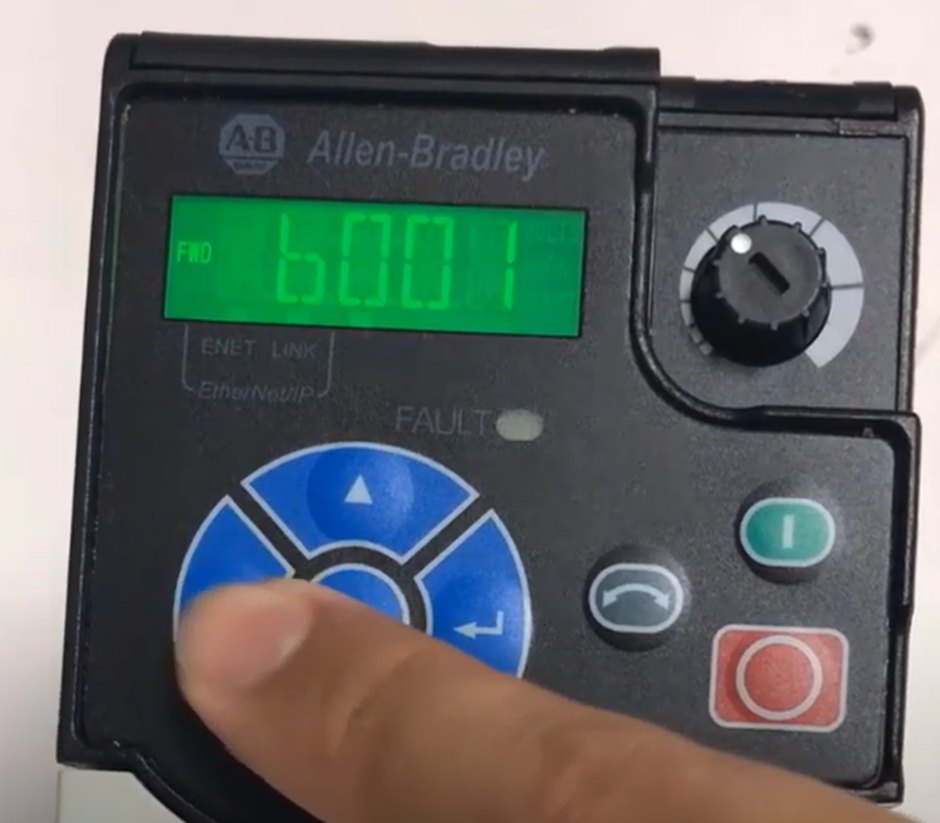
Then press up till you are in C series parameter and change C128 to 1. Then got C129 and change to the first set of the IP address e.g: if the IP is 192.168.7.112 then C129 is 192. C130 is 168 C131 is 7 and C132 is 112
Also C133, C134 , C135 and C136 are subnet mask respectively e.g 255.255.255.0
Step 2: Connect to the drive inside the Studio 5000/Workbench
Use rslinx or RSlinx classic to connect to drive the green bar indicate powerflex is connected
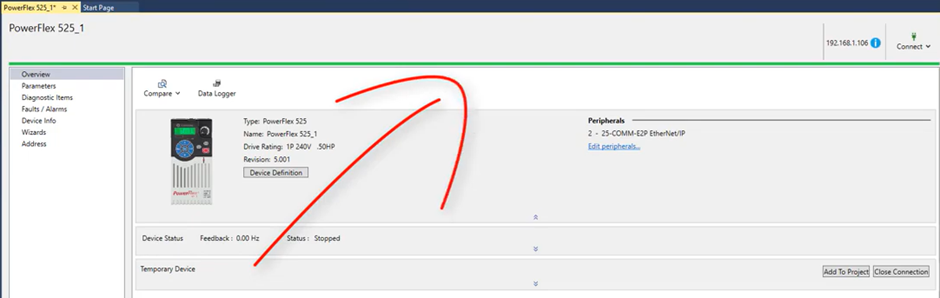
In case you received error that the parameters are not match then Upload from drive to the PLC code
Step3: Inhabit the drive
Step4: got wizard
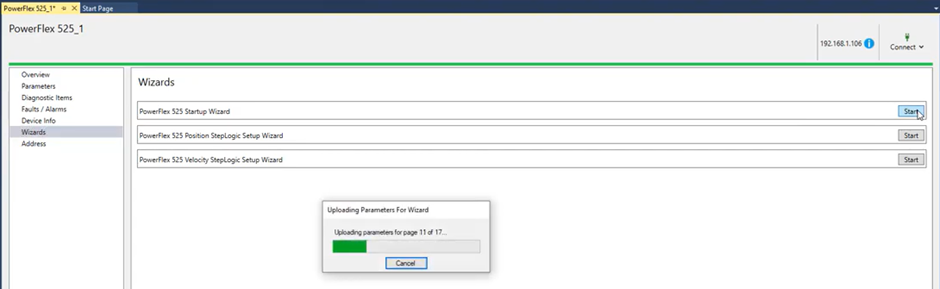
We can review- Compare and print parameters
[Torque Perf Mode] or [Motor Cntl Sel] (Vector) selects the output mode of
the drive. The choices are:
• Custom Volts/Hertz
Used in multi-motor or synchronous motor applications.
• Fan/Pump Volts/Hertz
Used for centrifugal fan/pump (variable torque) installations for
additional energy savings.
• Sensorless Vector
Used for most general constant torque applications. Provides excellent
starting, acceleration and running torque.
• Sensorless Vector w/Economizer
Used in constant torque applications that have significant “idle” time
(time spent at greatly reduced load) to offer additional energy
conservation.
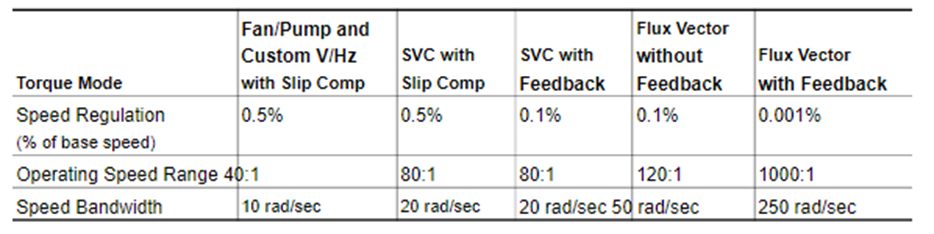
The following table shows the performance differences between V/Hz and
Sensorless Vector

 Electrical Engineer